Model types
Mind Map and Impact Map
One model type, two styles. You choose which when you create the model:
- Mind Map: free-form mapping with color-coded levels.
- Impact Map: the structured ladder of Goal → Actor → Impact → Deliverable → Specification.
Both grow the same way: hover or select a node and click one of the + buttons on its edges to add a
child in that direction. Double-click a node to rename it; Enter accepts, Shift + Enter starts a new
line.
Mind Map
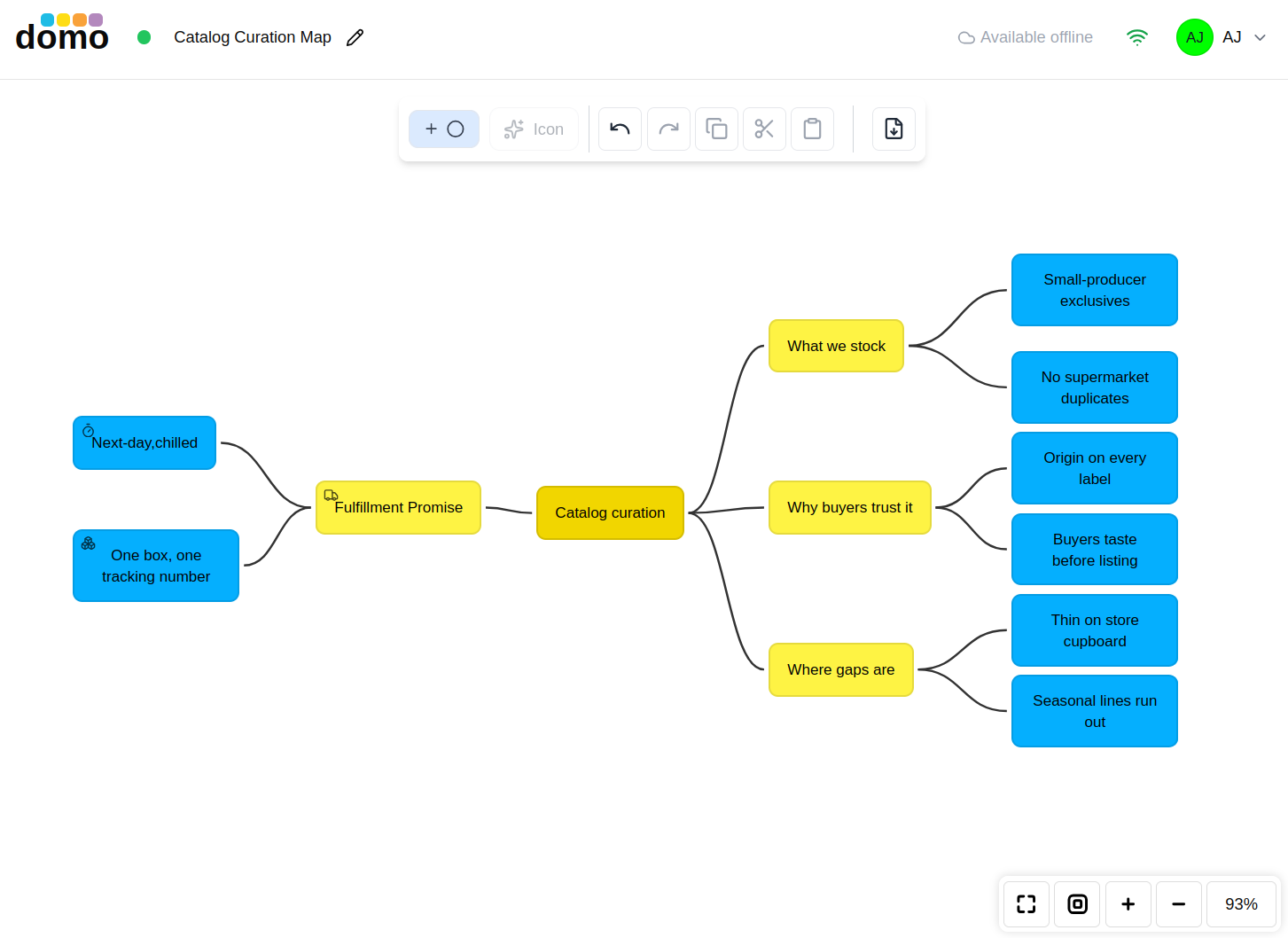
Start from a root topic and branch outward. Each level down is colored differently, so depth is readable at a glance. Add New Root Node starts a second, independent tree on the same canvas.
Select a node and use the Icon button to give it an icon from the picker. That is useful for marking questions, risks, or owners without inventing a notation.
Root nodes are protected from accidental deletion: a root with children cannot be deleted, and the last remaining root cannot be deleted at all.
Impact Map
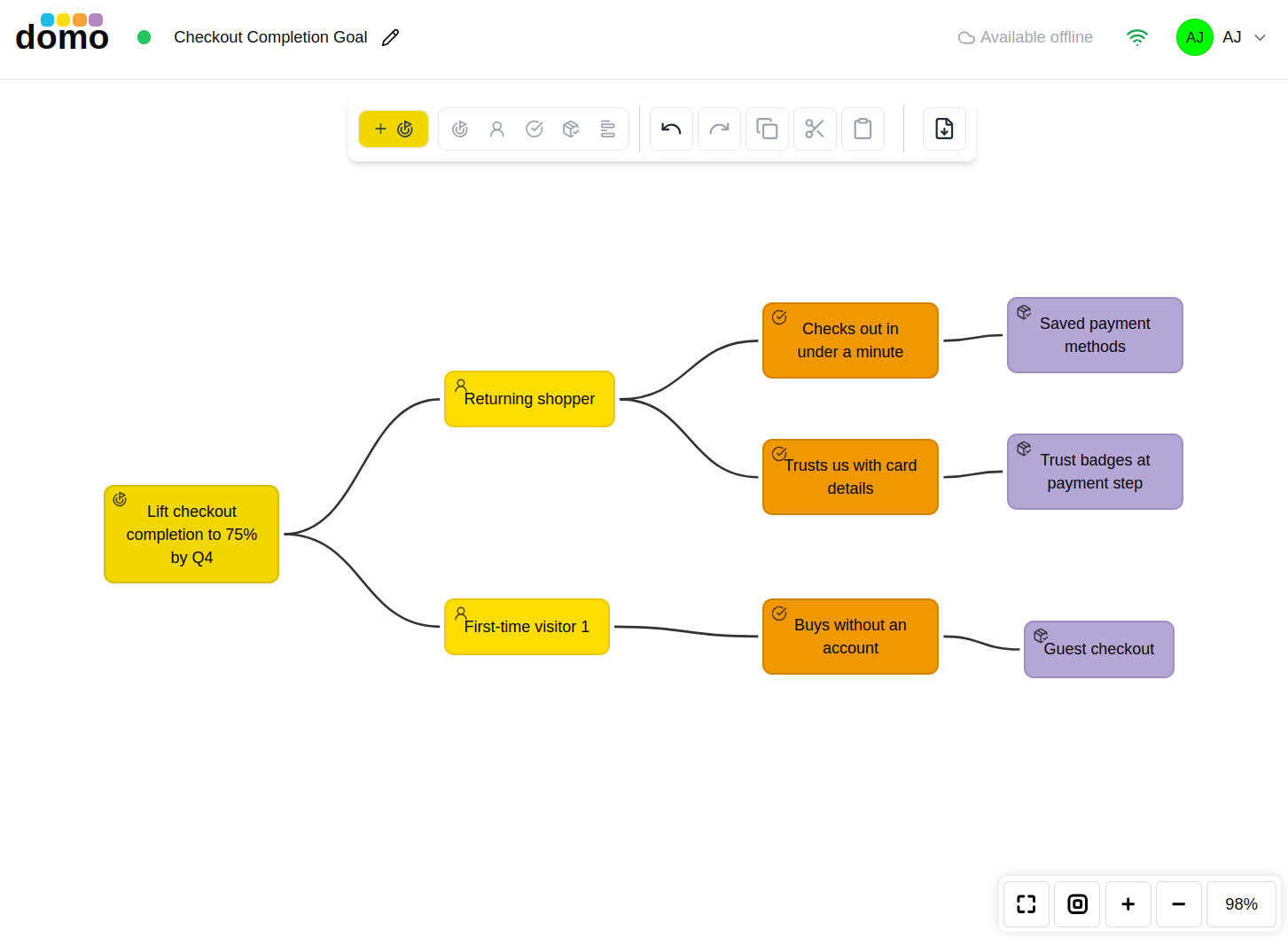
An Impact Map answers four questions in order, and the editor enforces that order. A child is always the next level down, so the map cannot drift out of shape.
| Level | Question | What goes here |
|---|---|---|
| Goal | Why? | The business goal, stated so you would know if you hit it. |
| Actor | Who? | The people who can help or hinder that goal. |
| Impact | How? | The change in an actor's behavior that would move the goal. |
| Deliverable | What? | What you could build or do to cause that impact. |
| Specification | None | The detail of a deliverable. |
Add New Goal starts a new map. The toolbar shows a legend of the five levels and highlights the level of whatever you have selected, so you always know where you are on the ladder.
Properties
Both styles use the shared properties dialog (name, description, and a Markdown Specifications area),
reached from the badge at the center of a node or by pressing Enter with the node selected.