Model types
Glossary
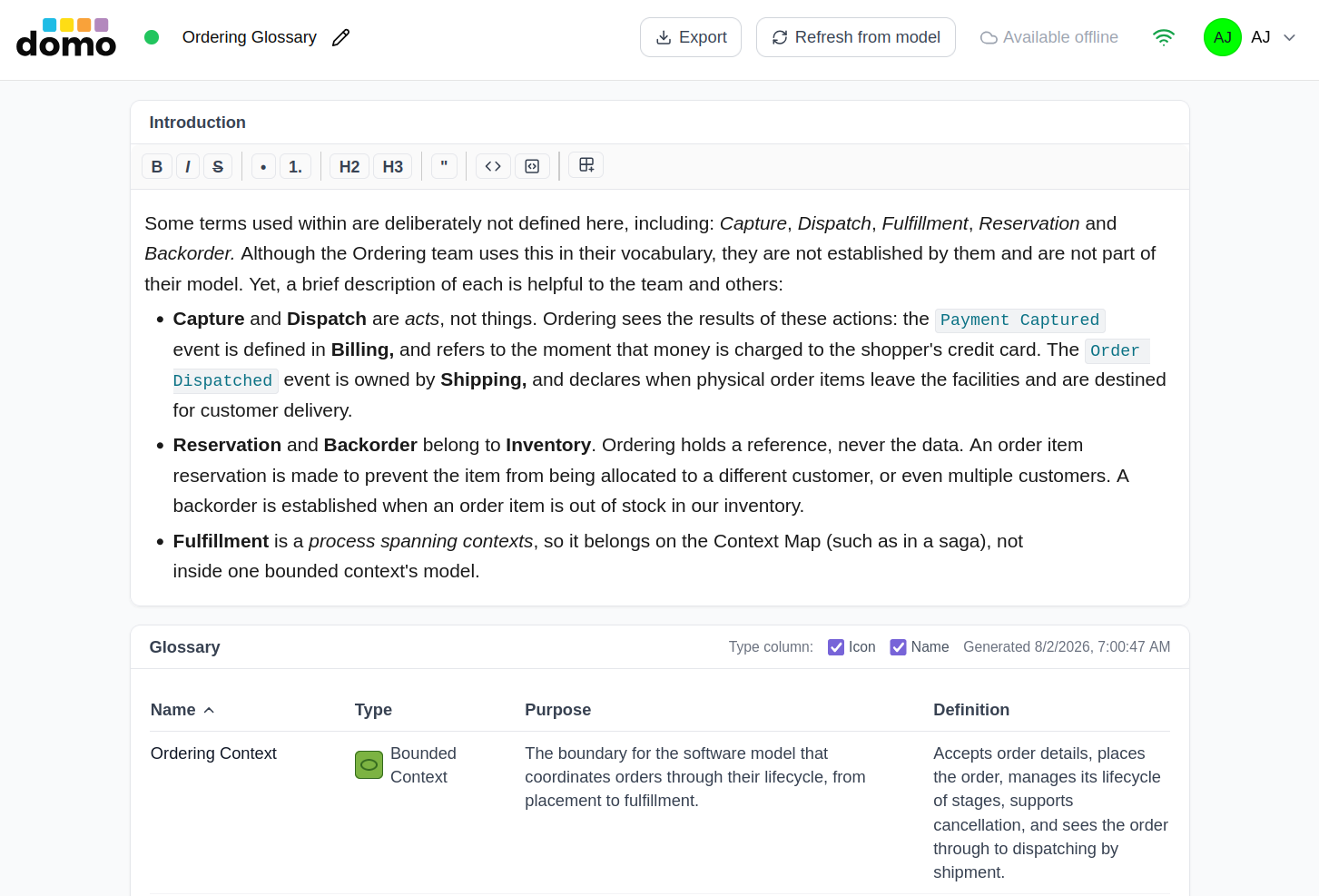
A Glossary is a document that keeps the ubiquitous language of one bounded context in one place. It has two parts: prose you write, and a table generated from a Domain Model.
Note: A glossary's table of definitions is generated from capturing one bounded context's language, not the whole organization's.
Creating one
Choose Glossary as the model type and pick the Domain Model it should be built from. The glossary's table is generated from that model's elements, taking their names, their tactical type, and what has been written about them.
If the domain has no Domain Model yet, make one first; a glossary with no source has nothing to build.
The prose section
The top section is a Markdown editor with a heading you can rename. Use it for the things a table cannot say: how the language is meant to be used, what the boundary is, which terms are deliberately different from a neighboring context's terms.
While a colleague is editing this section, their name is shown in its header and it is locked to them. The table below stays available.
The generated table
Every glossary has a table of definitions that are gathered from its linked Domain Model. Each
element in that source Domain Model has a properties, including its name (such as Order,
OrderLine, OrderStatus, OrderPlaced, etc.), type (Aggregate, Entity, Value Object,
Domain Event, etc.), purpose, and definition. The properties also contain a specification,
but that is not currently used by the glossary. All of the other four are, as described here:
| Column | Where it comes from |
|---|---|
| Name | The element's name in the Domain Model. |
| Type | Its strategic/tactical type: Bounded Context, Aggregate, Value Object, Domain Event, etc. |
| Purpose | The element's purpose description. |
| Definition | What this element does and how it works. |
Note: Use the properties dialog box of each element in the Domain Model to capture these values for each model type.
Once the glossary table is generated, you can click any of the sortable headers to re-sort; the sort is stored with the document, so everyone opens it sorted the way you left it.
Note: When naming a model element, use PascalCase, as you would when naming a class or other first-class type. The editors intelligently adjust the text at rest automatically for readability, inserting a space between each word. So the format is both highly readable and lines break naturally on word boundaries. For example, if you name a type
OrderLine, the editor will display the text asOrder Line.
The Type column can show an icon, a name, or both. That is the author's choice, and that choice is stored with the document. Thus, the icon travels into a Markdown export as an image alongside the document, and is embedded directly in Word and PDF. So icon-only is a real choice rather than a screen-only one.
Which to use depends on your reader. The icon is compact and matches the canvas, but it only means something to someone who already knows the notation, and a glossary is often the document you hand to someone who does not. In fact, somethings even the type name might confused readers and should in those cases be entirely omitted.
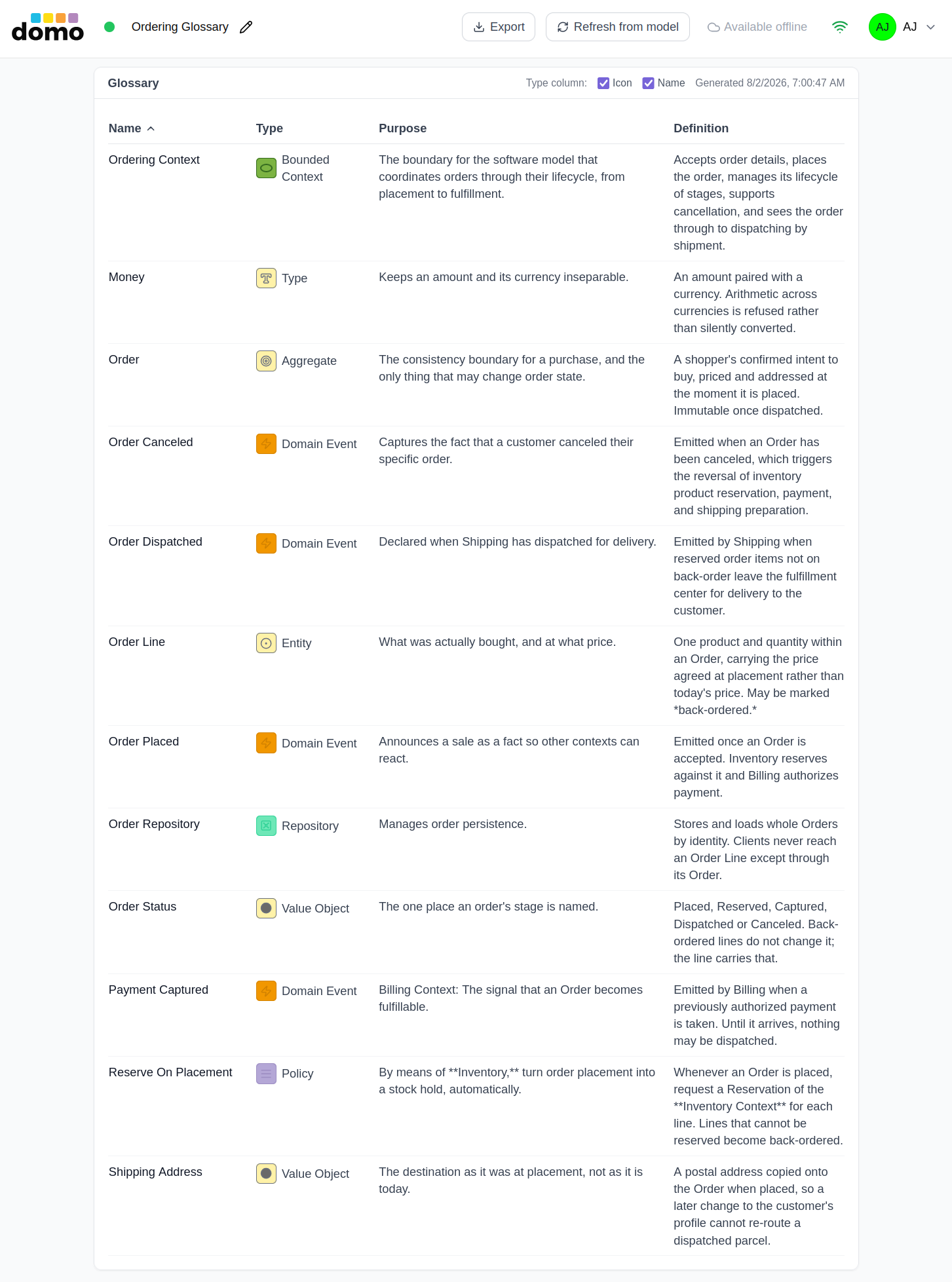
The table is generated, not edited. Every refresh replaces it whole, so an edit made in the Domain Model's properties is reflected in the table. Further, if edits to the table were permitted, all such would be silently discarded on the next refresh. The correct way to change the table's contents is to change the Domain Model's elements and/or their properties, then refresh.
Refreshing
Refresh from model regenerates the table from the current state of the source Domain Model. The header shows when it was last generated. Regeneration is deliberate rather than automatic, so a glossary you are reading does not rearrange itself while a colleague edits the model it came from.
Export
Export downloads the glossary, both prose and table, as a single Markdown file. Exporting requires a paid plan and edit access to the model.