Documentation
How DomoModeler works
The dashboard, every model type, and what each editor gives you. Start at the beginning, or jump to the model you are about to open.
Getting startedGetting started
- Getting started3 minSign in, find your workspace, and create your first model in the product → domain → model hierarchy.
Sign in · How work is organized · Create your first model · Open a model · New versions of DomoModeler · +1 more
- The dashboard3 minProducts, domains, and models; plus search, sharing views, duplication, import/export, and the user menu.
The sidebar · Products and domains · Model cards · Linked models · Shared By Me / Shared With Me · +1 more
- Sharing and access3 minOrganization roles, product visibility, sharing a product, domain, or model, and how access is worked out.
Organization roles · Product visibility · Sharing something · Who has access · Read-only models
Working with models
- Editor basics7 minThe parts every editor shares: the model header, the toolbar, adding and connecting elements, properties, and exporting.
The model header · The toolbar · Adding elements · Naming, moving, and connecting · Element properties · +2 more
- Collaboration and saving2 minReal-time presence, editing locks, the save indicator, paused connections, and working offline.
Who else is here · Editing locks · Saving · Paused and reconnecting · Working offline
- Linked models2 minHow EventStorming feeds a Context Map, a Context Map feeds a Domain Model, and where auto and manual sync differ.
The chain · Auto and manual sync · Crossing between linked models · Merging, not overwriting · If a linked model is deleted
Model types
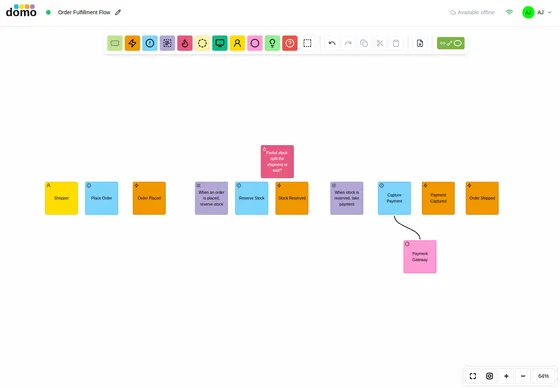
EventStorming5 min
The workshop canvas (domain events, commands, policies, aggregates, hotspots) and grouping into subdomains.
The elements · How a session usually goes · Grouping into subdomains · +2 more
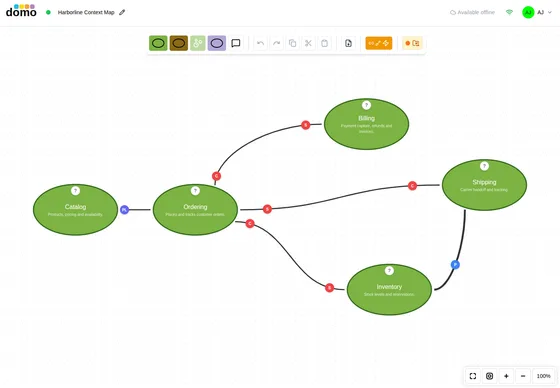
Context Map2 min
Bounded contexts and the relationships between them: AcL, OHS, published language, conformist, and the rest.
The elements · Relationships · Where a Context Map comes from · +2 more
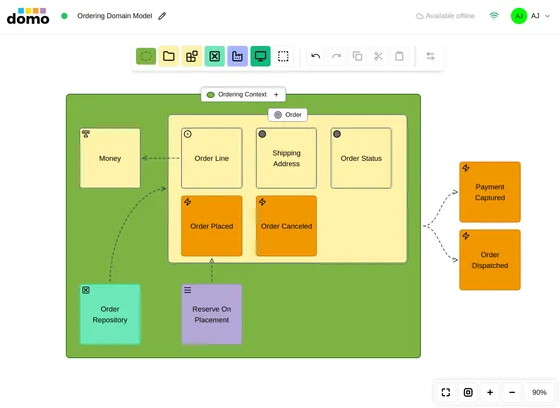
Domain Model4 min
Tactical DDD inside a boundary: aggregates, entities, value objects, services, repositories, and factories.
The elements · Common Properties · How aggregates behave · +3 more
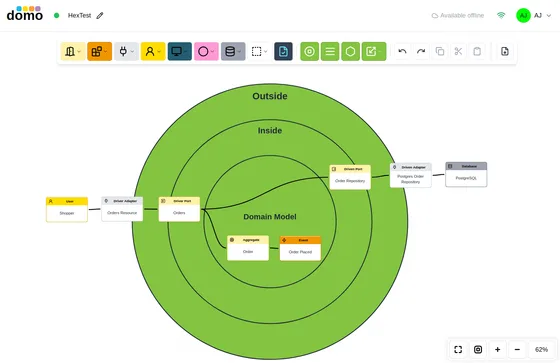
Architecture3 min
One model type with four model styles (Hexagonal, Flow, C4, and Cloud), chosen when you create it.
Hexagonal / Ports & Adapters · Flow · C4 · +2 more
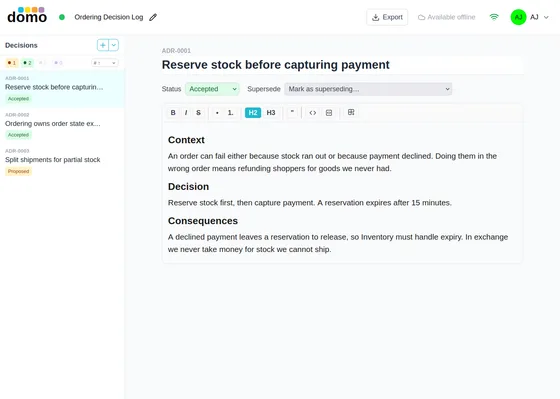
Architecture Decision Record2 min
A numbered log of decisions, with status, supersede links, Nygard and MADR templates, and Markdown export.
Creating the log · A decision record · Templates · +2 more
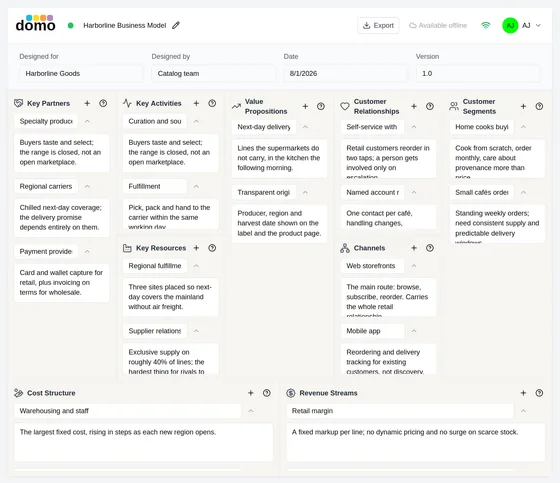
Business Model Canvas2 min
The nine building blocks of a business model, with built-in prompts and paired description/detail entries.
The nine sections · Filling it in · Canvas metadata
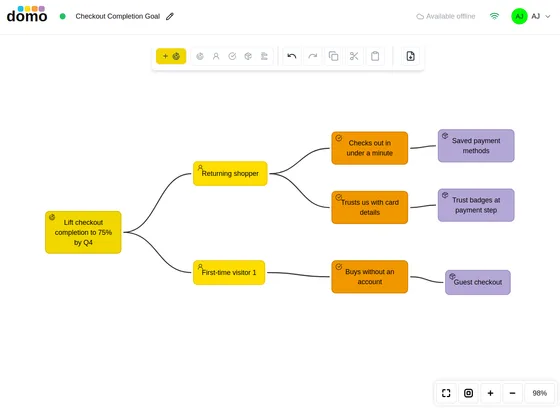
Mind Map and Impact Map2 min
Two shapes of the same editor: free-form mind mapping, or the structured Goal → Actor → Impact → Deliverable ladder.
Mind Map · Impact Map · Properties
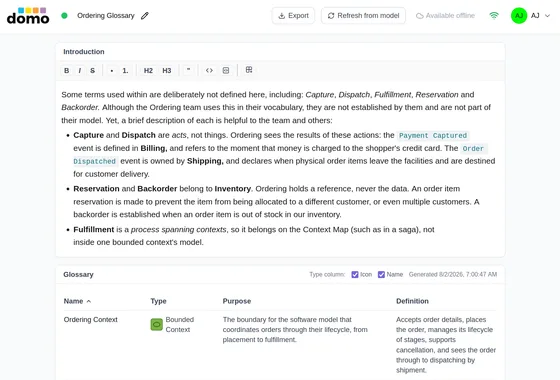
Glossary3 min
A ubiquitous-language table generated from a Domain Model, with your own prose above it.
Creating one · The prose section · The generated table · +2 more
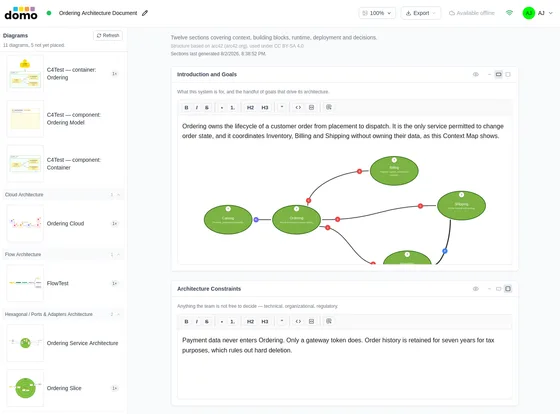
Architecture Document4 min
An arc42 or C4-guidebook document that writes part of itself from the domain's models and embeds their images.
Choosing a template · Writing · Placing model images · +2 more
Published Language17 min
A schema registry for the contracts a bounded context publishes: typed Commands, Events, Queries and data shapes, versioned, synced from your models, released as named packages, and exported as source code, Avro or JSON Schema.
Where a Published Language lives · The hierarchy · The editor · +12 more
UI Mockups7 min
Low-fidelity screen sketches built from standard widgets, placed into EventStorming, Flow and Ports & Adapters models as the interface a step happens through.
Creating a mockup · Choosing the kind · The widget palette · +7 more
Code Dig28 min
An encrypted CodeDig!™ analysis of an existing codebase, imported into a domain, from which Flow, Domain Model, Use Cases, C4 and EventStorming models are projected along with an analysis report that says plainly what the analysis did not reach.
Installing CodeDig! · Analyzing a codebase · Importing a Code Dig · +7 more
Reference
- Keyboard shortcutsEvery shortcut in one place: editing, selection, alignment, and the per-model-type element keys.1 min
- Plans and limitsWhat your organization's plan changes: model allowances, export, collaboration, seats, changing plans, canceling and refunds, and what happens if billing lapses.9 min