Model types
Architecture Document—Putting It All Together
An Architecture Document is the written companion to the models, so you'll see much of your modeling work highlighted in this artifact. It's a structured document that follows a recognized template, pulls what it can from the models in the domain, that can be exported to Markdown, Word, and PDF.
The following is a walk through an example Architecture Document to show the primary sections.
Every section can contain both textual content (prose) and snapshot images of models within the domain. The snapshots are auto-generated from models.
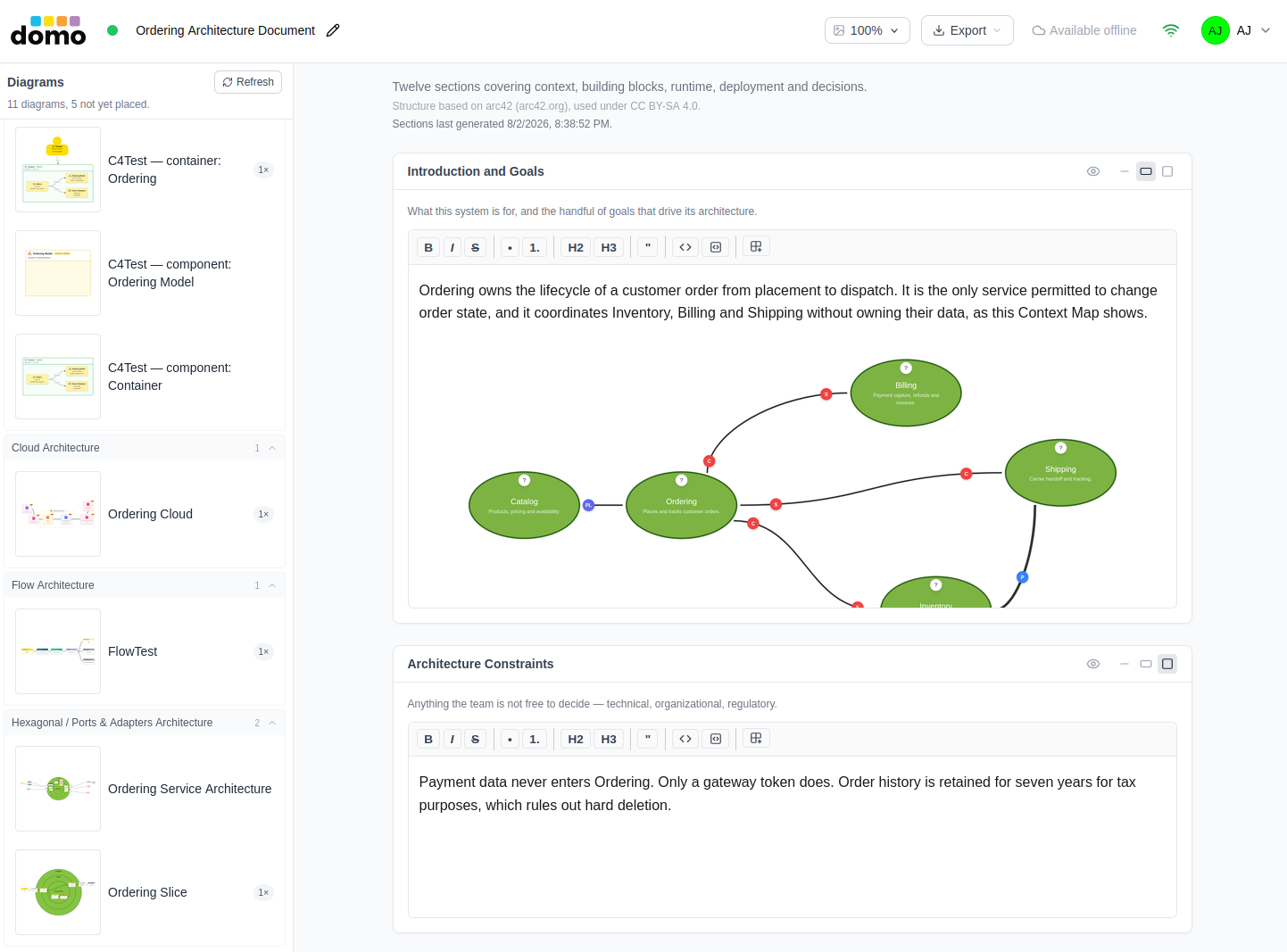
In this document that is based on the arc42 template, some sections can be completely omitted or built up and refined over time. The Context Scope may be included in later editions.
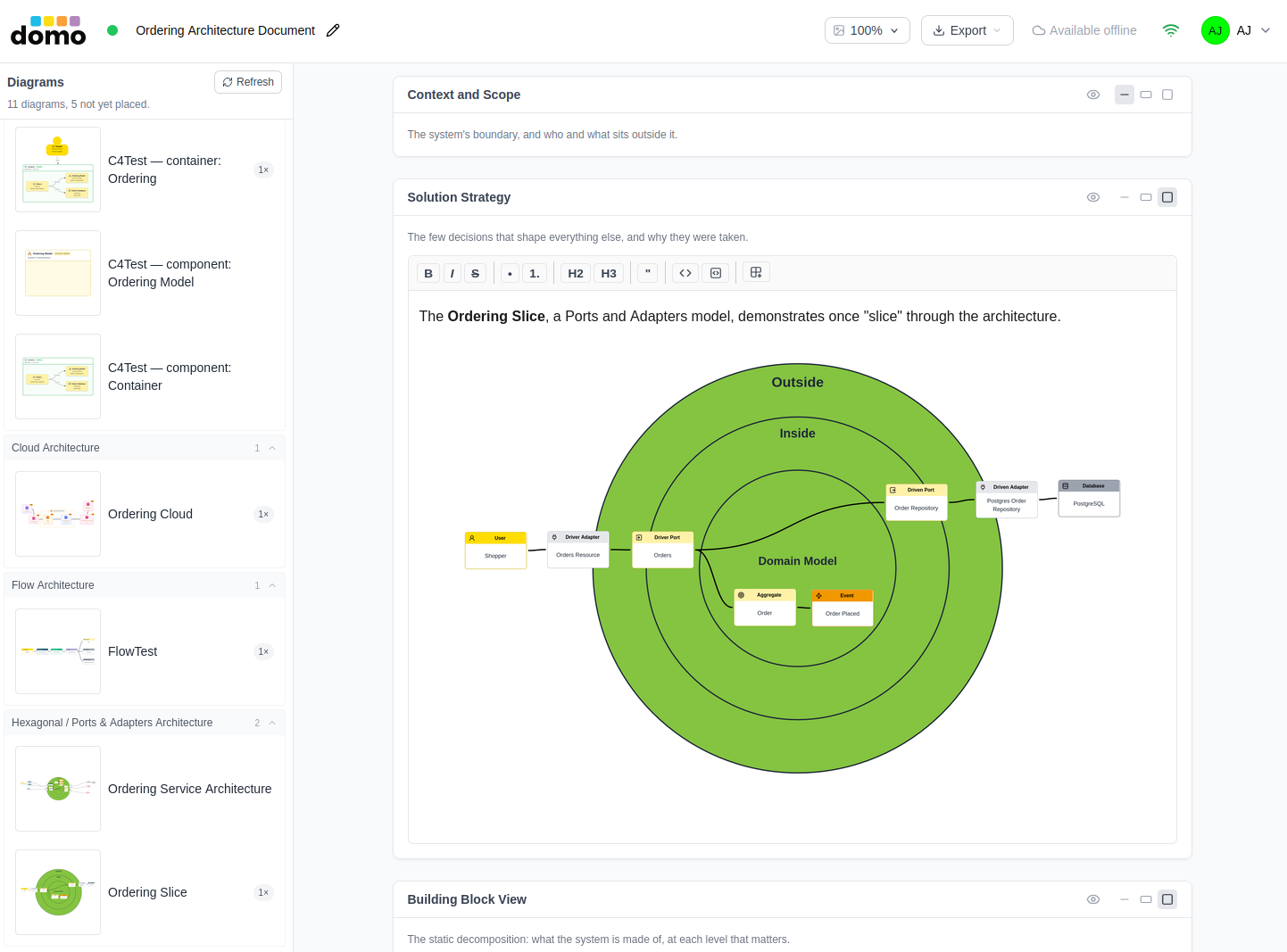
The use of C4 diagrams can be an excellent way to highlight the architecture building blocks, such as seen in this dedicated view.
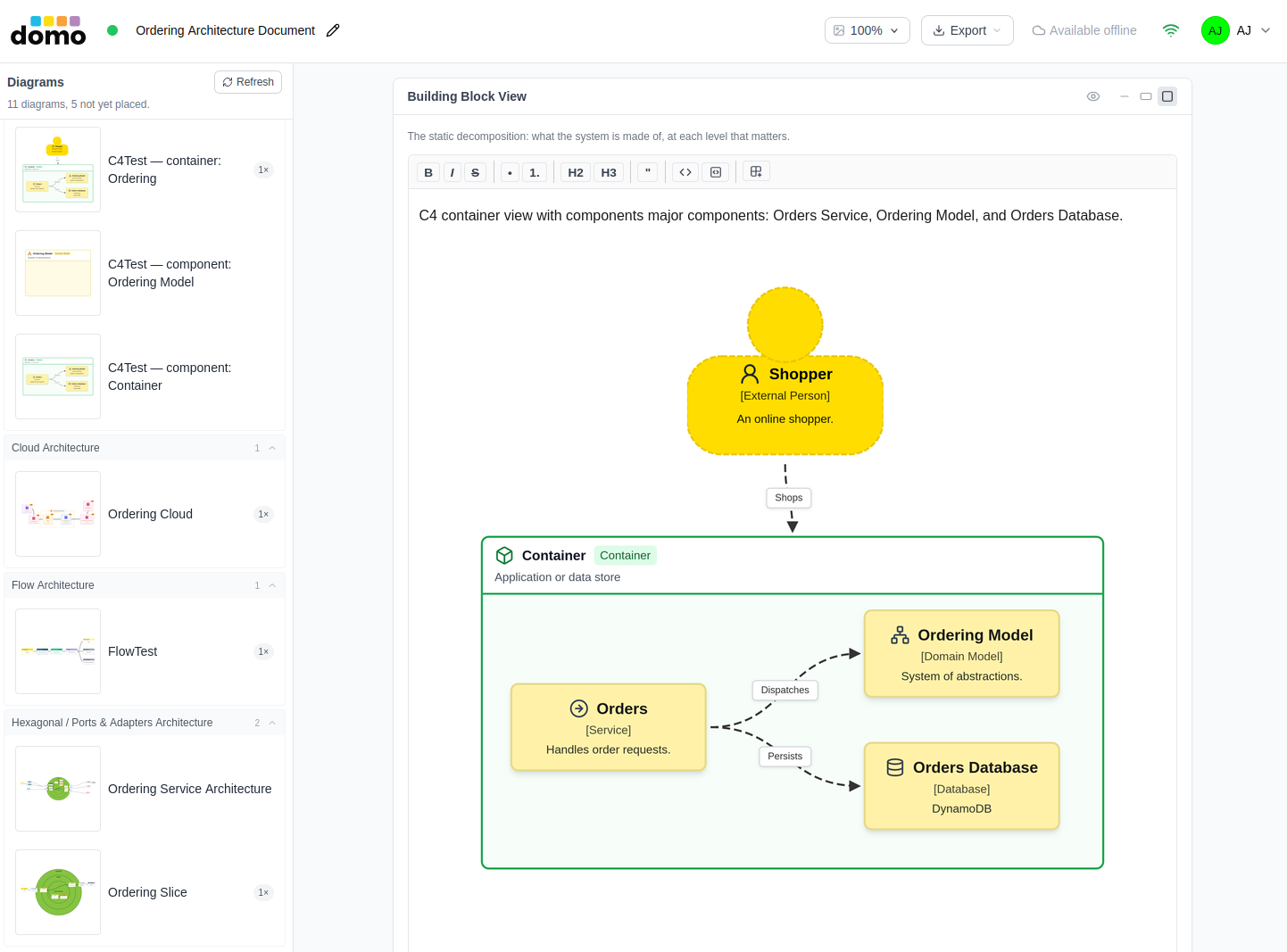
You might find that a Flow Architecture is a well-suited model to demonstrate the Runtime View.
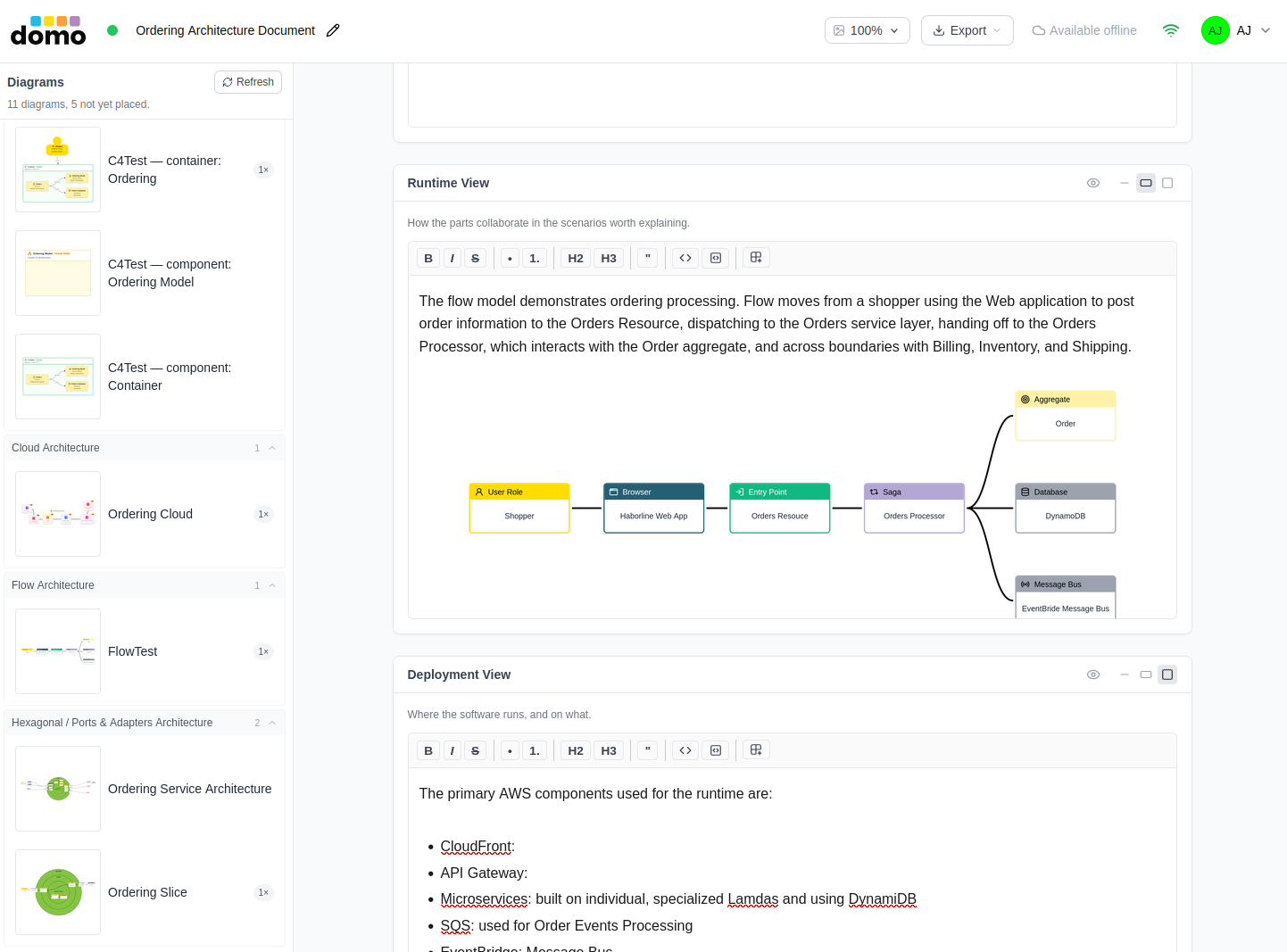
Services deployed to a cloud platform can utilize a Cloud Architecture model with specific platform components to represent their Deployment View. Choices include AWS, Google Cloud Platform (GCP), Azure, generic, and hybrid (multiple platforms in one model).
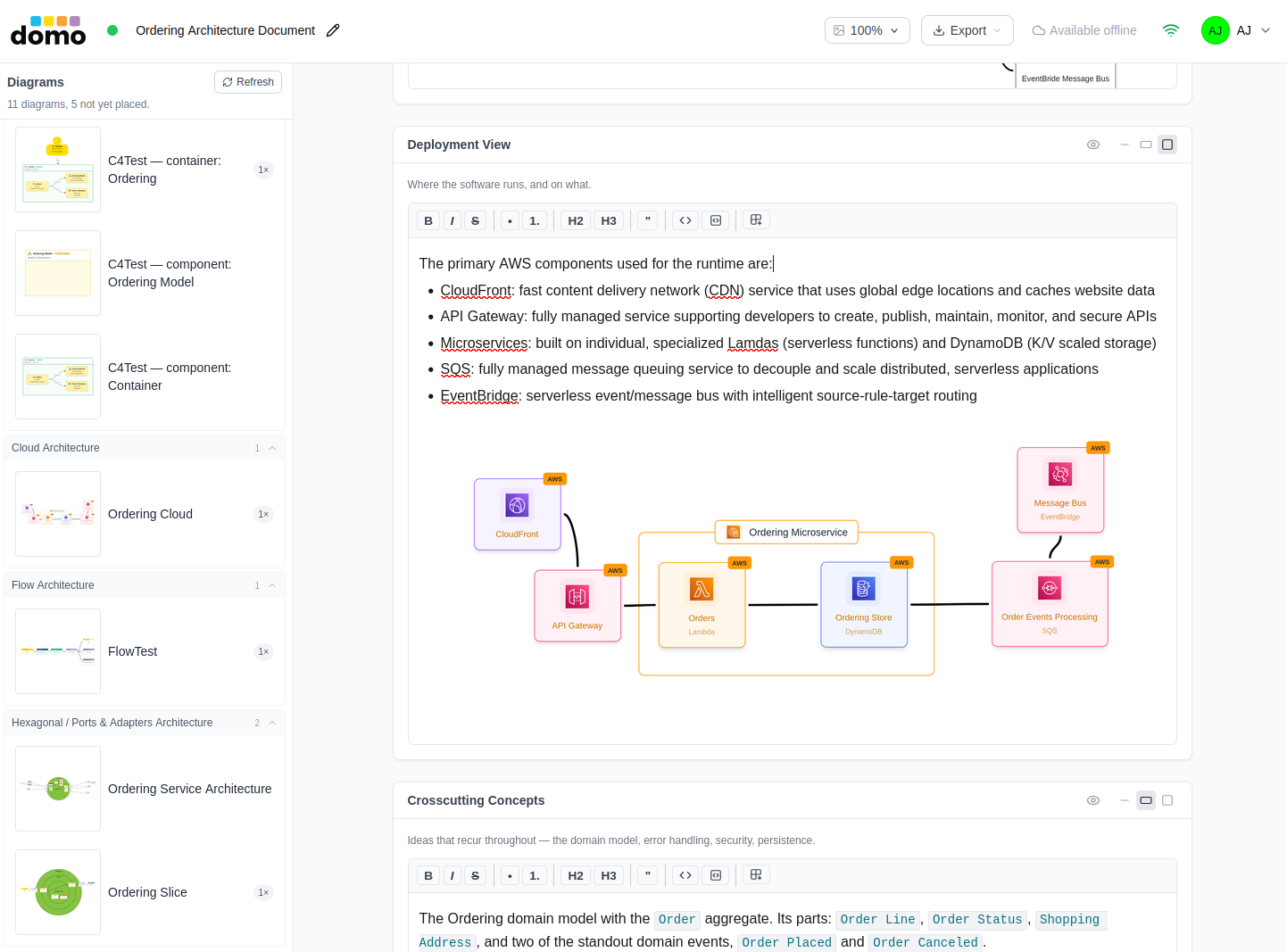
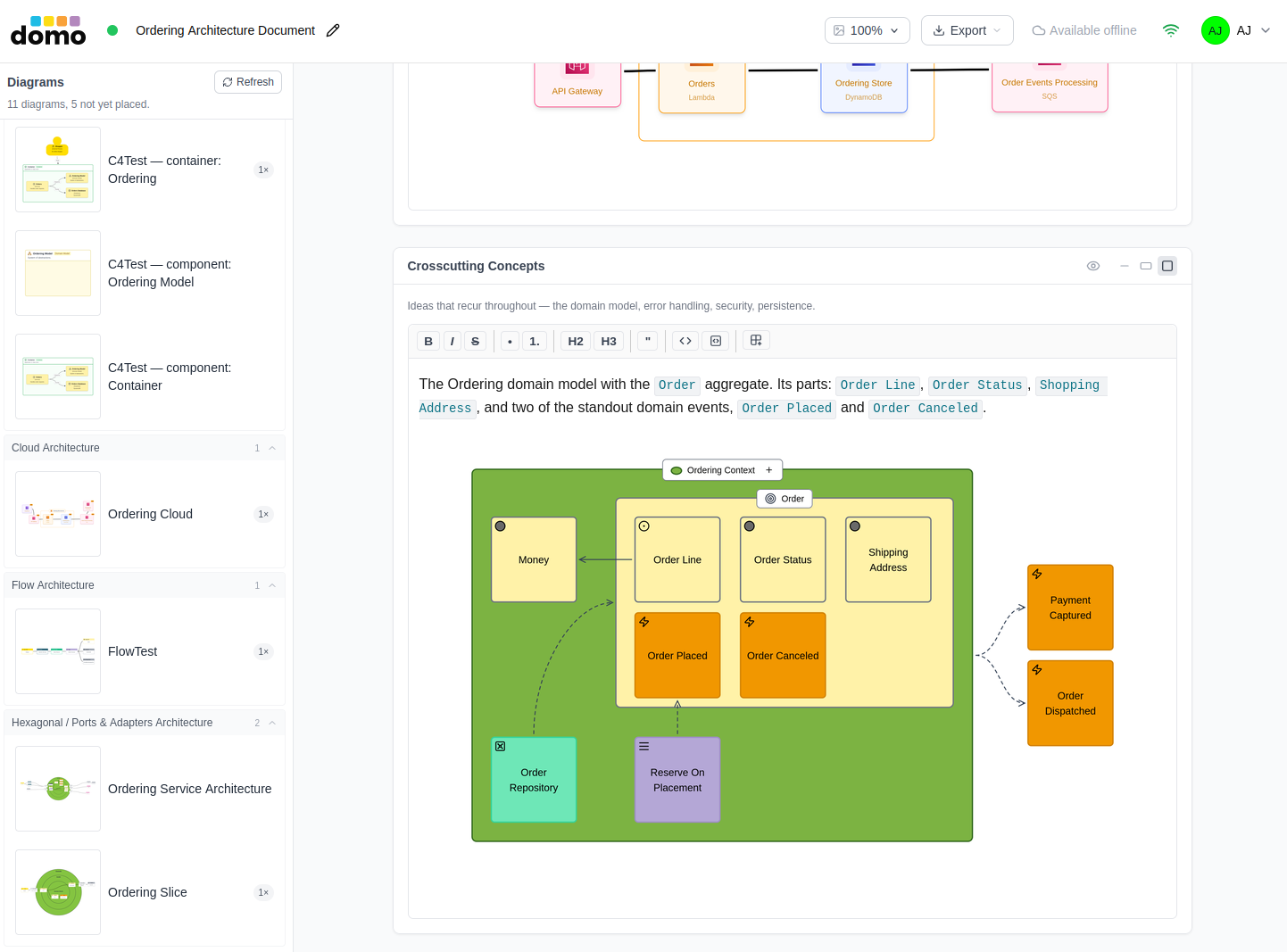
The architectural crosscutting concepts include the domain models of a given domain. This document's Crosscutting Concepts starts by showing a high-level view of the Ordering domain model.
Your Architecture Decision Logs (or ADR Log) defined in your domain will be inserted into the Architecture Decisions section. You may insert additional text and model images into the supporting text/prose content preceding the ADR lists.
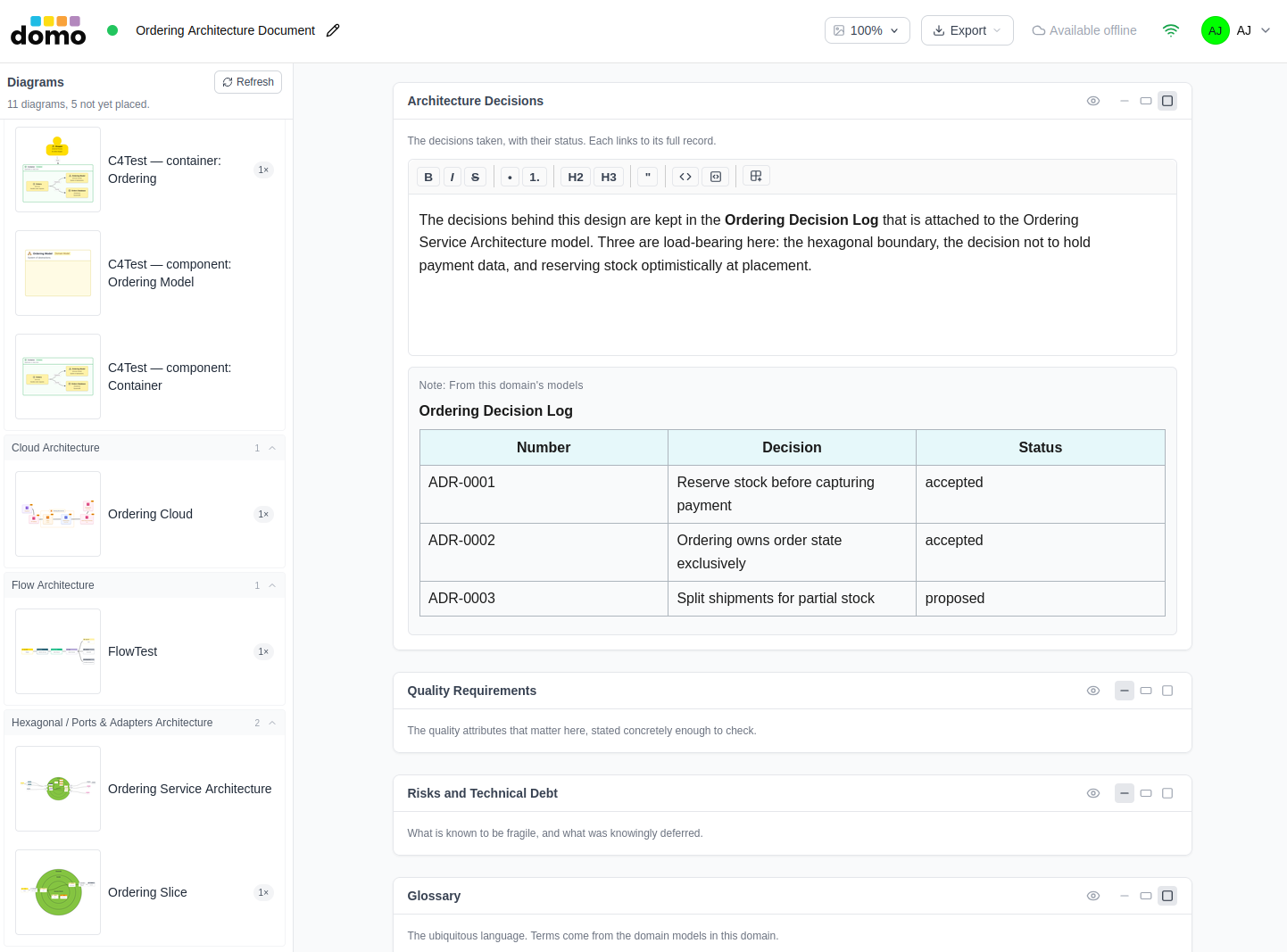
The Quality Requirements and the Risks and Technical Debt sections follow the Architecture Decisions section. These have not yet been defined, but could be in the future.
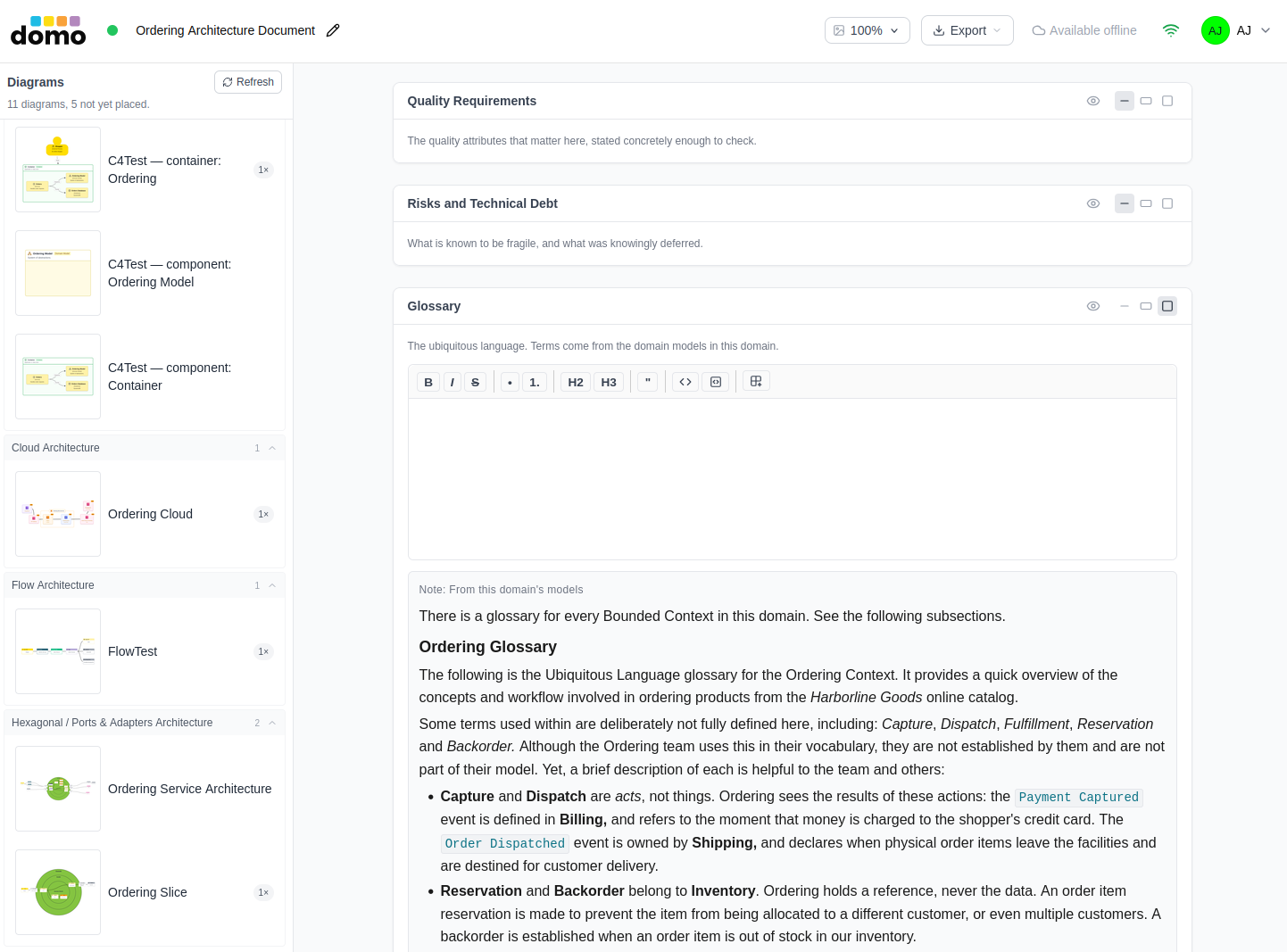
You can see the top of the Glossary section in the previous section's image, and you already saw the Ordering Context's glossary on the previous page, Glossary. Still, it helps to know that you can add more supporting text specific to the overall architecture in this Glossary section.
Choosing a template
You pick the template when you create the model, and it sets the document's sections.
arc42, the fuller structure and the default:
Introduction and Goals · Architecture Constraints · Context and Scope · Solution Strategy · Building Block View · Runtime View · Deployment View · Crosscutting Concepts · Architecture Decisions · Quality Requirements · Risks and Technical Debt · Glossary
C4 guidebook, the software-guidebook shape:
Context · Functional Overview · Quality Attributes · Constraints · Principles · Software Architecture · Infrastructure Architecture · Deployment · Operation and Support · Decision Log
Each section carries a line of guidance describing what belongs in it.
Writing
You work one section at a time. Each has:
- Your prose, in a Markdown editor.
- Generated content, assembled from the domain's models. It is kept in its own region, so a regeneration never overwrites what you wrote.
Sections can be sized, hidden, and reordered in the document's outline, so a document that does not need a Deployment View does not have to carry an empty one.
Placing model images
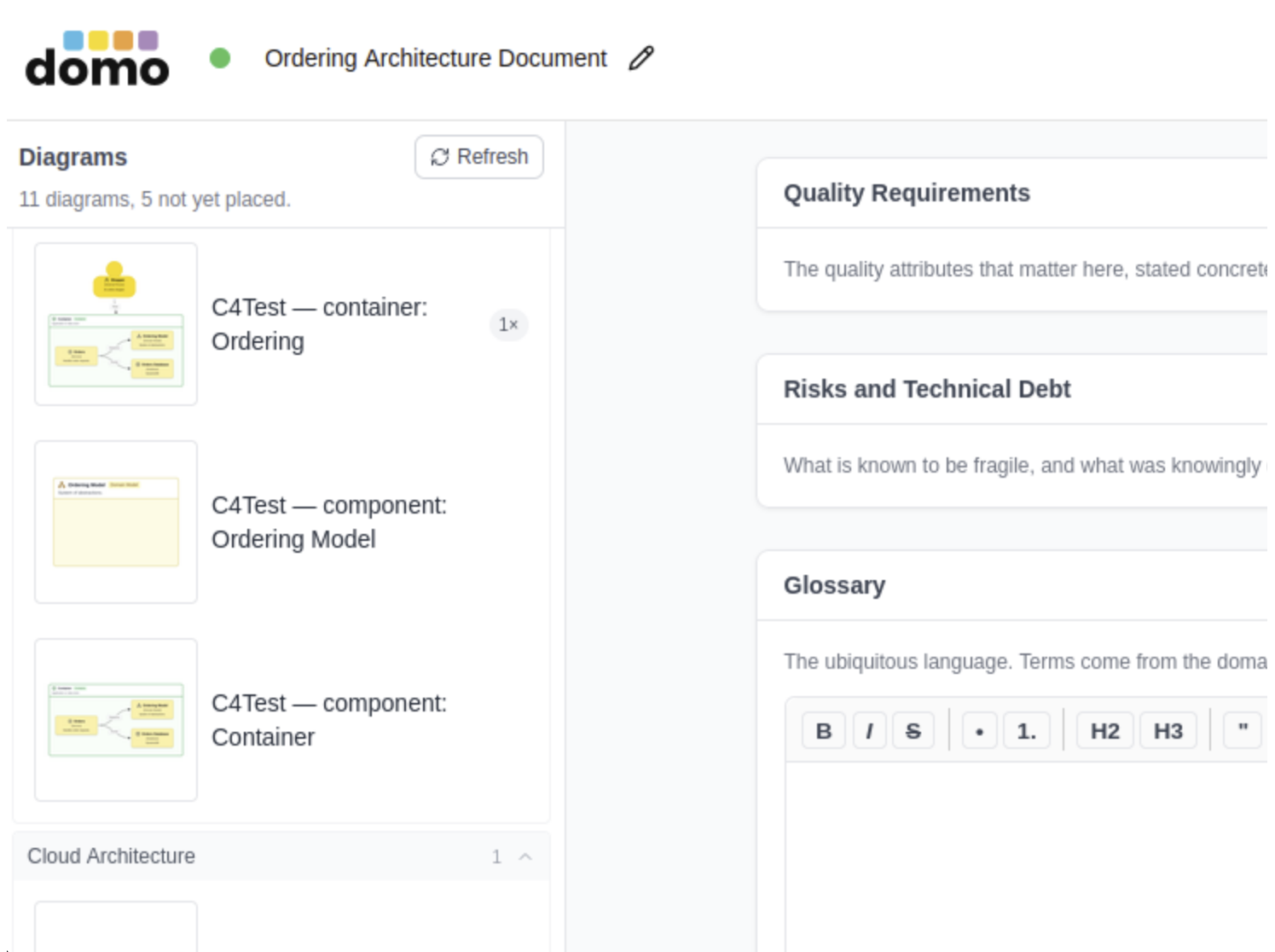
The model image palette lists the models in this domain. Drag-and-drop one into the section you are writing and its model image is captured and embedded. A placed model image records the version of the model it depicts, so the document knows when a picture has gone stale, and regenerate re-captures the ones that have.
A C4 architecture places as one image per level rather than a single unreadable picture of everything. The following is an enlarged view of the top portion of the palette for the Ordering Architecture Document.
Regenerating
Regeneration rebuilds every generated region from the domain's models and refreshes out-of-date model images. Your prose is untouched. If a model image cannot be captured, the document tells you which ones and why, rather than quietly leaving a gap.
Export
Export offers three formats:
| Format | What you get |
|---|---|
| Markdown | A .md file, or a .zip when the document has images |
| Microsoft Word | A .docx with the model images embedded |
| A PDF with selectable text |
Exporting requires a paid plan and edit access to the model.