Model types
Architecture
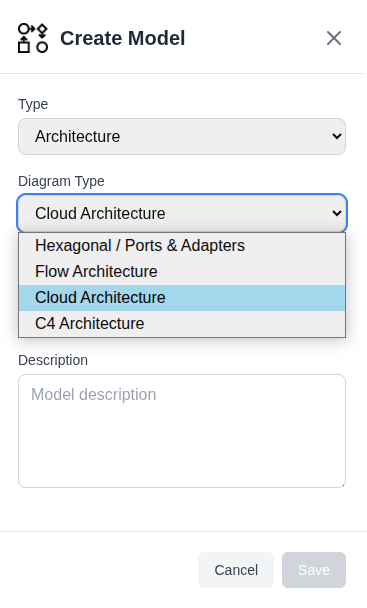
The Architecture model type covers four different ways of drawing a system. You pick the style when you create the model, and it does not change afterwards. Each style has its own canvas rules, so a model is one style for life. Create a second Architecture model if you want a second view.
Hexagonal / Ports & Adapters
A single service drawn as concentric zones, showing what is inside the boundary and what is outside it.
- Outside: the world of people, other systems, and infrastructure.
- Inside: the application, holding the ports and adapters.
- Domain Model: the innermost zone, which can be shown or hidden.
You place elements on the driver side (left, the things that call you) or the driven side (right, the things you call):
| Element | Driver key | Driven key |
|---|---|---|
| Port: the interface | I (incoming) |
O (outgoing) |
| Adapter: the implementation | R |
N |
| External: the system beyond | E |
S |
| User: the actor | None | None |
Three more toolbar dropdowns add the concrete pieces around those. None of them has a shortcut key.
- User Interface: Browser, Desktop, Mobile, Terminal, and a generic User Interface. These are how a person reaches the system, so they arrive on the driver side, outside the zones alongside User and External System.
- External Mechanism: Database, Message Bus, Queue, API, and WebSocket. These are the technologies an adapter actually talks to, so they arrive on the driven side. For the ones that drive you instead, such as an inbound message bus, switch the side in the element's properties.
- Extra: Query and Note. A Query is a port on the driver side and takes a slot on the ring along with the other ports. A Note belongs to neither side and can sit anywhere on the canvas.
These elements carry the same colors as the matching element in a Flow model, so a Database looks like a Database whichever style you are reading.
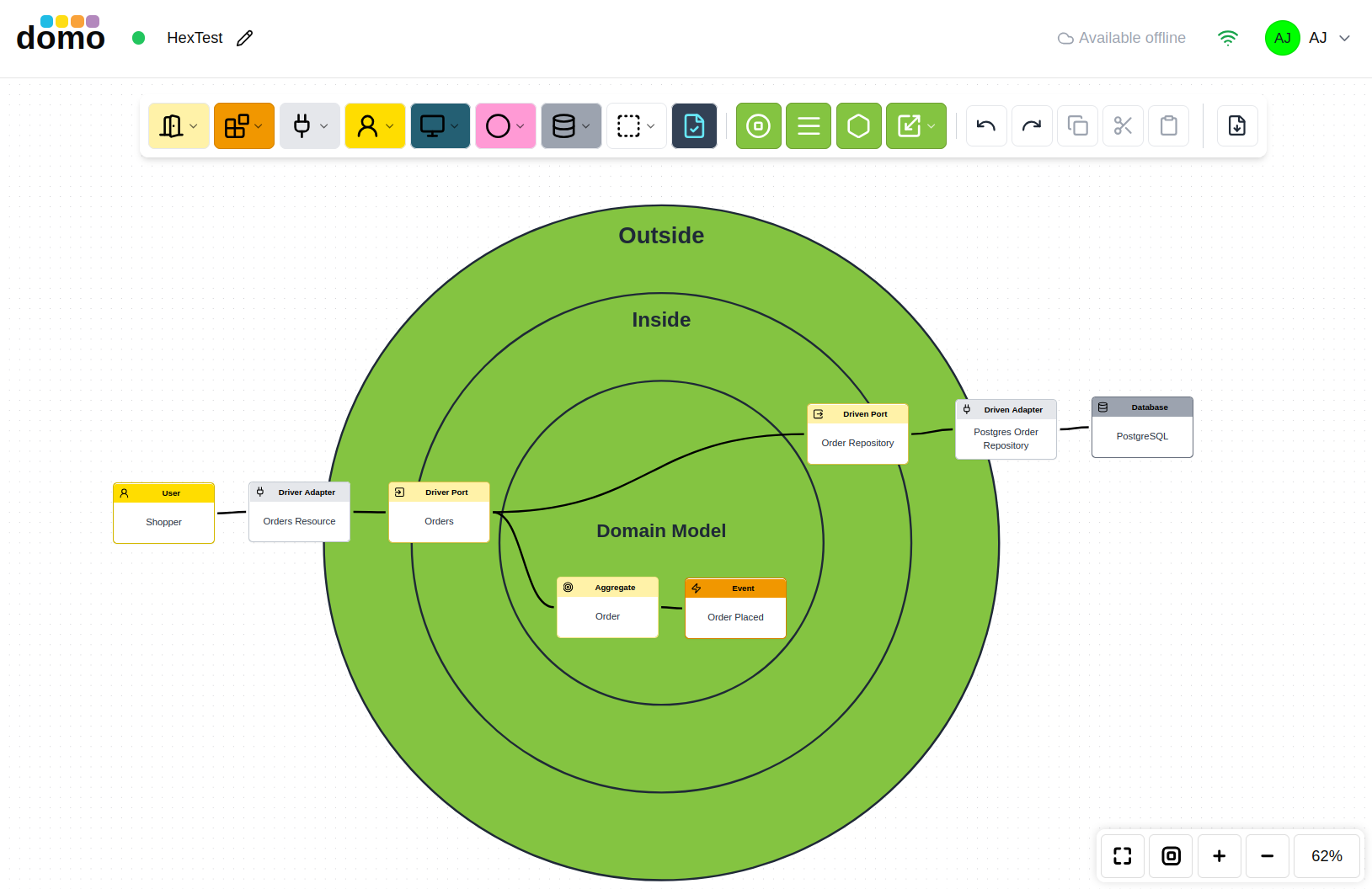
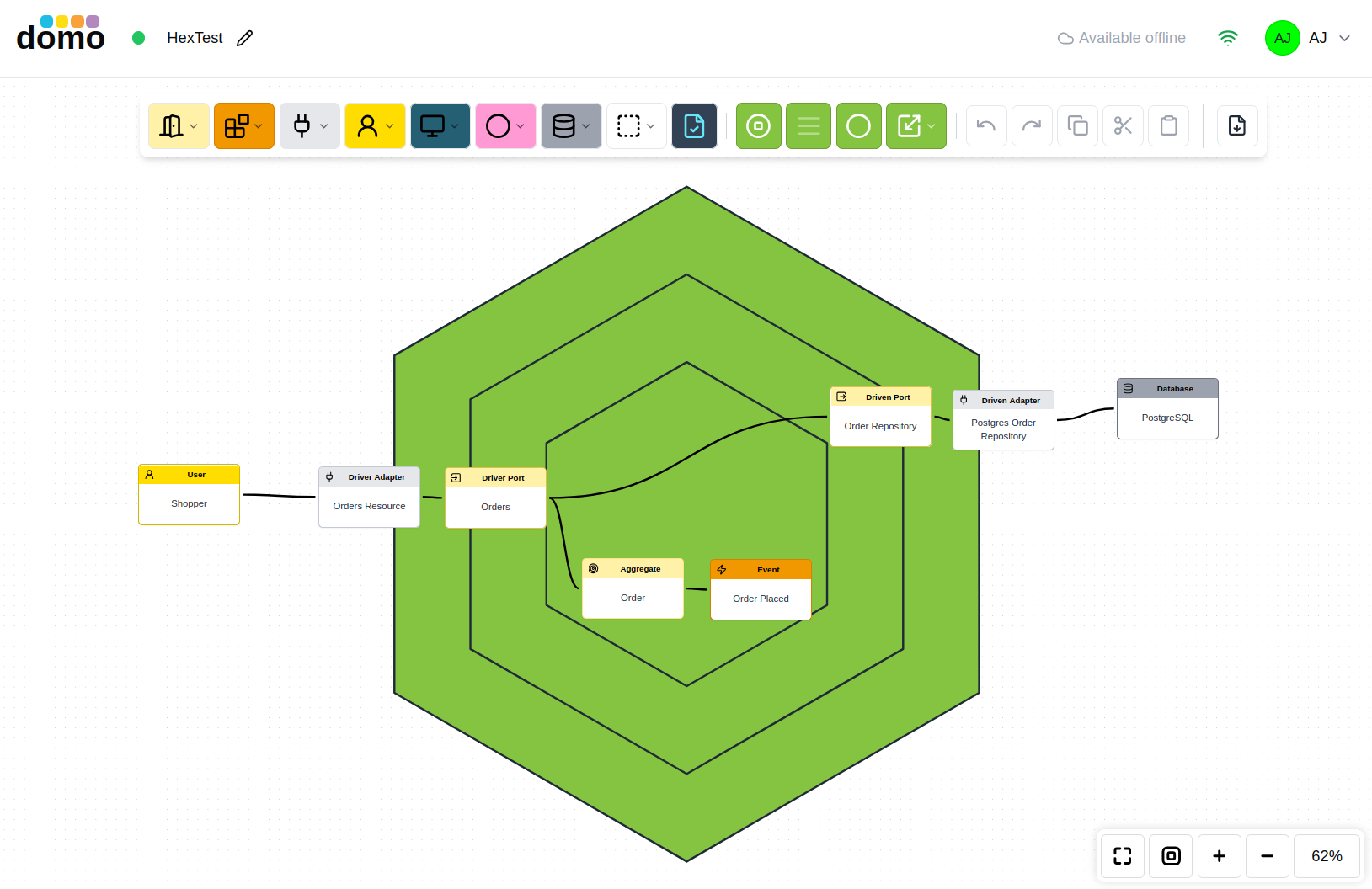
The zone labels can be turned off, the architecture shape can be rendered to a hexagon, and the whole zone model can be scaled up when a design outgrows the default size.
Flow
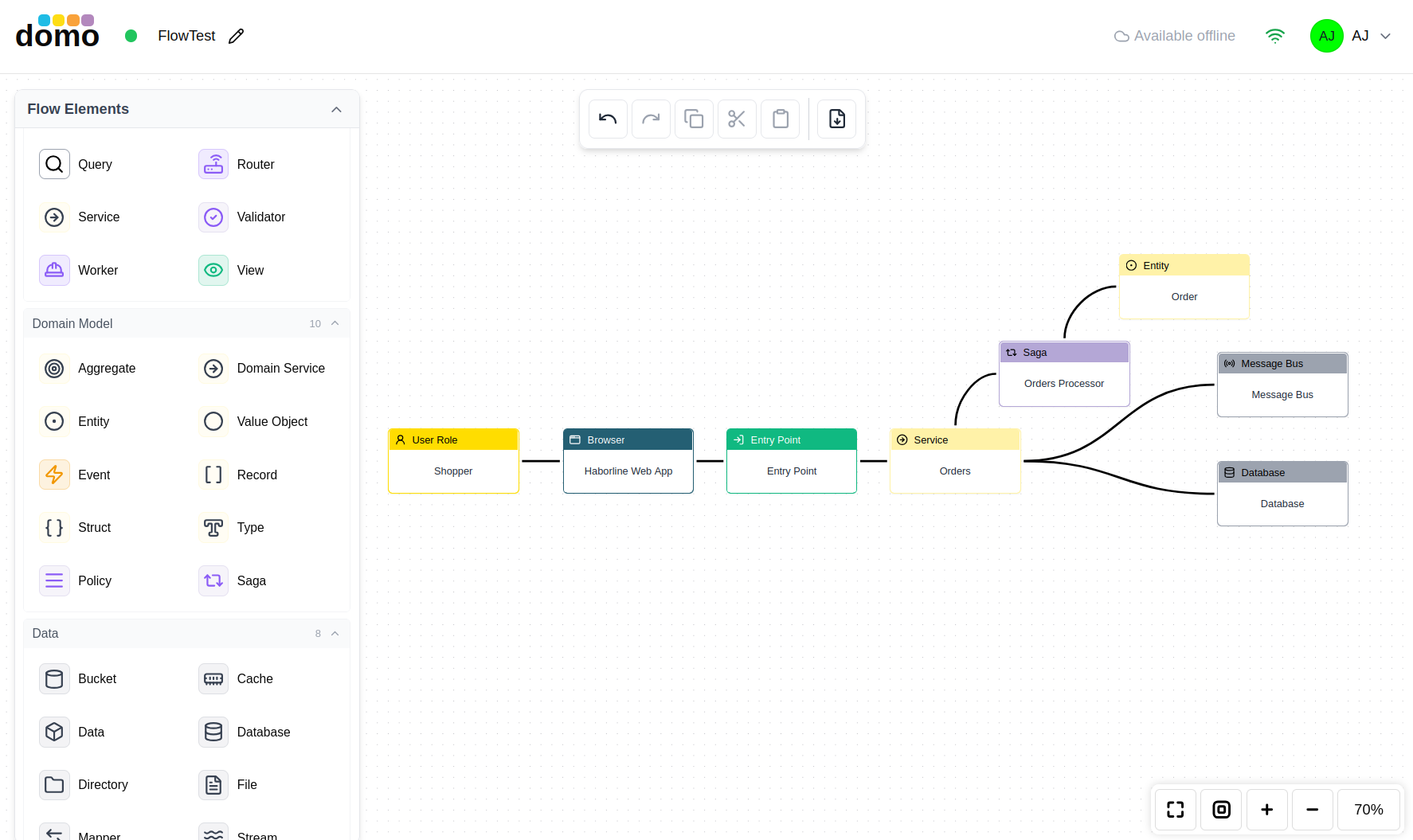
A free-form architecture model with a large palette, organized into groups:
| Group | Contains |
|---|---|
| User | Auth, Browser, Desktop, Mobile, Terminal, User Interface, User Role |
| Application | API, Command, Component, Entry Point, Exit Point, External Call, Function, Handler, Microservice, Port, Processor, Projection, Query, Router, Service, Validator, Worker, View |
| Domain Model | Aggregate, Domain Service, Entity, Value Object, Event, Record, Struct, Type, Policy, Saga |
| Data | Bucket, Cache, Data, Database, Directory, File, Mapper, Stream |
| Infrastructure | Adapter, Circuit Breaker, Controller, Endpoint, Gateway, Message Bus, Queue, Scheduler, WebSocket |
Use Flow when you want to show how a request actually travels through the system, without committing to a formal notation.
C4
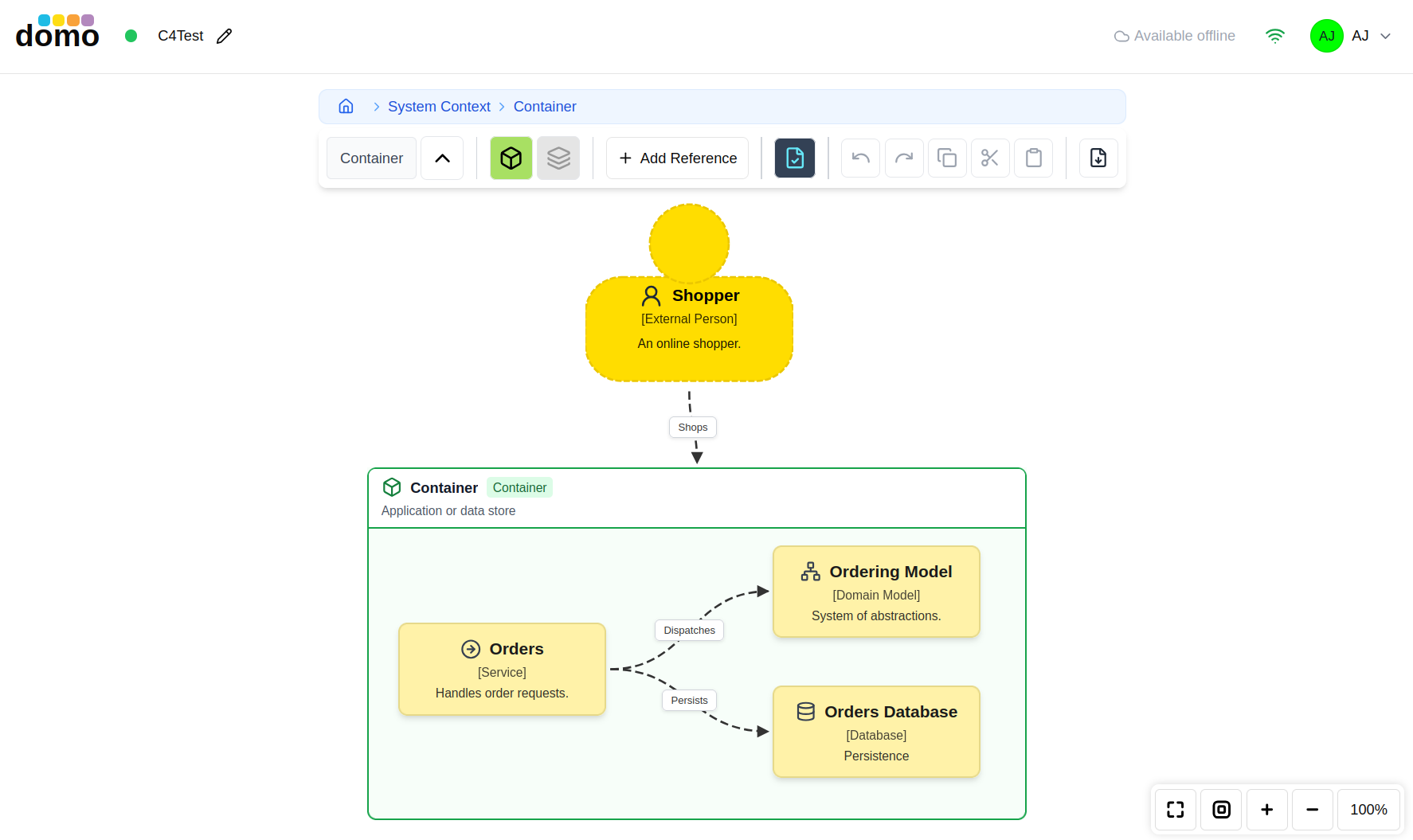
The C4 model's four levels, with drill-down. Each level shows the elements that belong at that level, and double-clicking an element takes you inside it; a breadcrumb across the top shows where you are and takes you back out.
| Level | Elements |
|---|---|
| Context | Person, Software System, External System |
| Container | Container |
| Component | Component |
| Code | Code Element |
Because each level is a separate view of the same model, a name only has to be unique within its own level.
Cloud
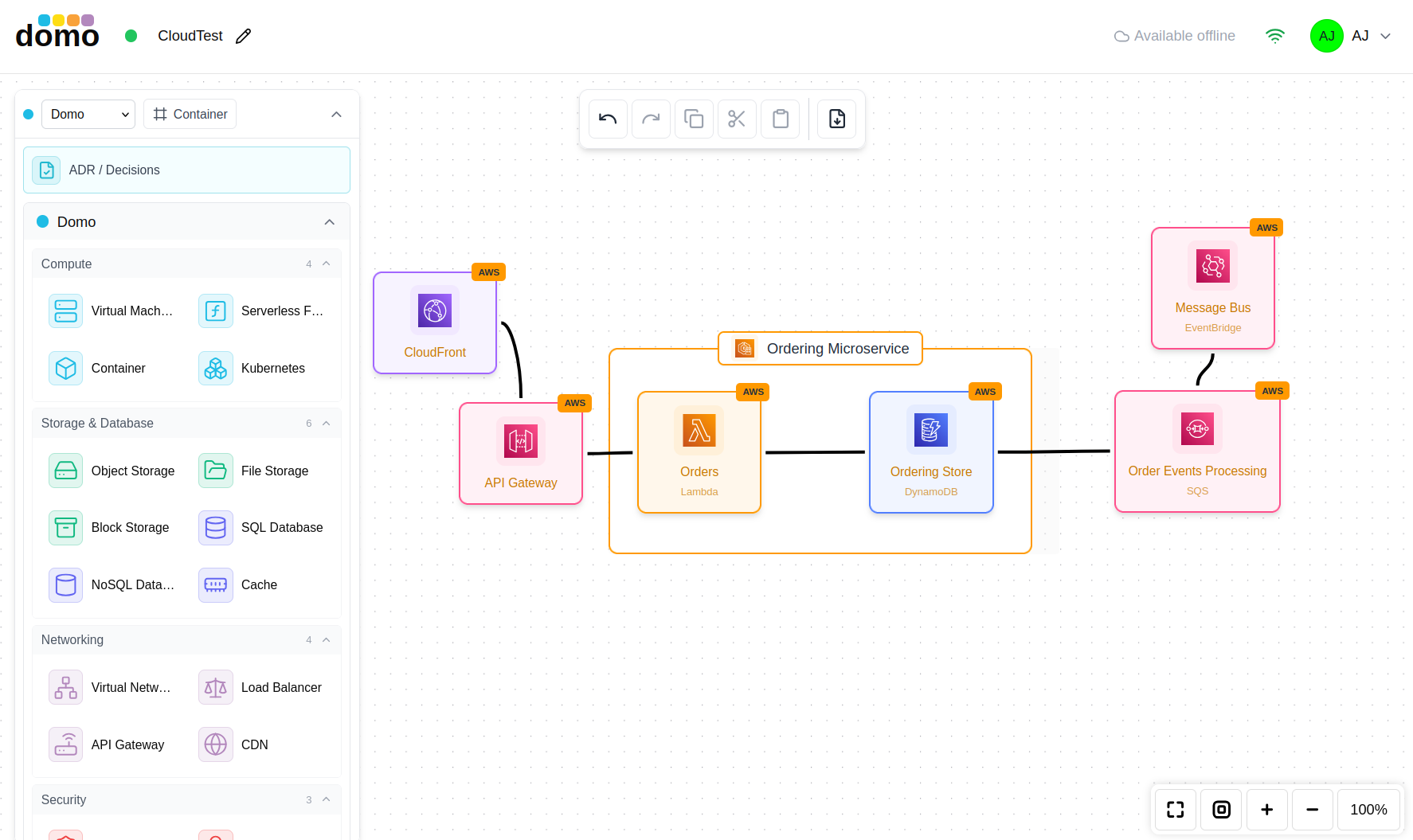
Infrastructure models using vendor icon sets. Choose the platform from the toolbar:
- Domo: platform-agnostic icons.
- AWS, GCP, Azure: that vendor's icon set.
- Hybrid: mix icons from all platforms.
Add Resource opens the icon picker. It has a search box and is grouped by category: compute, storage, networking, and the rest.
Attaching decisions
Any architecture model can have an ADR log attached to it, so the decisions that produced the design sit alongside the design itself. Link them when you create the ADR log, or later.