Working with models
Linked models
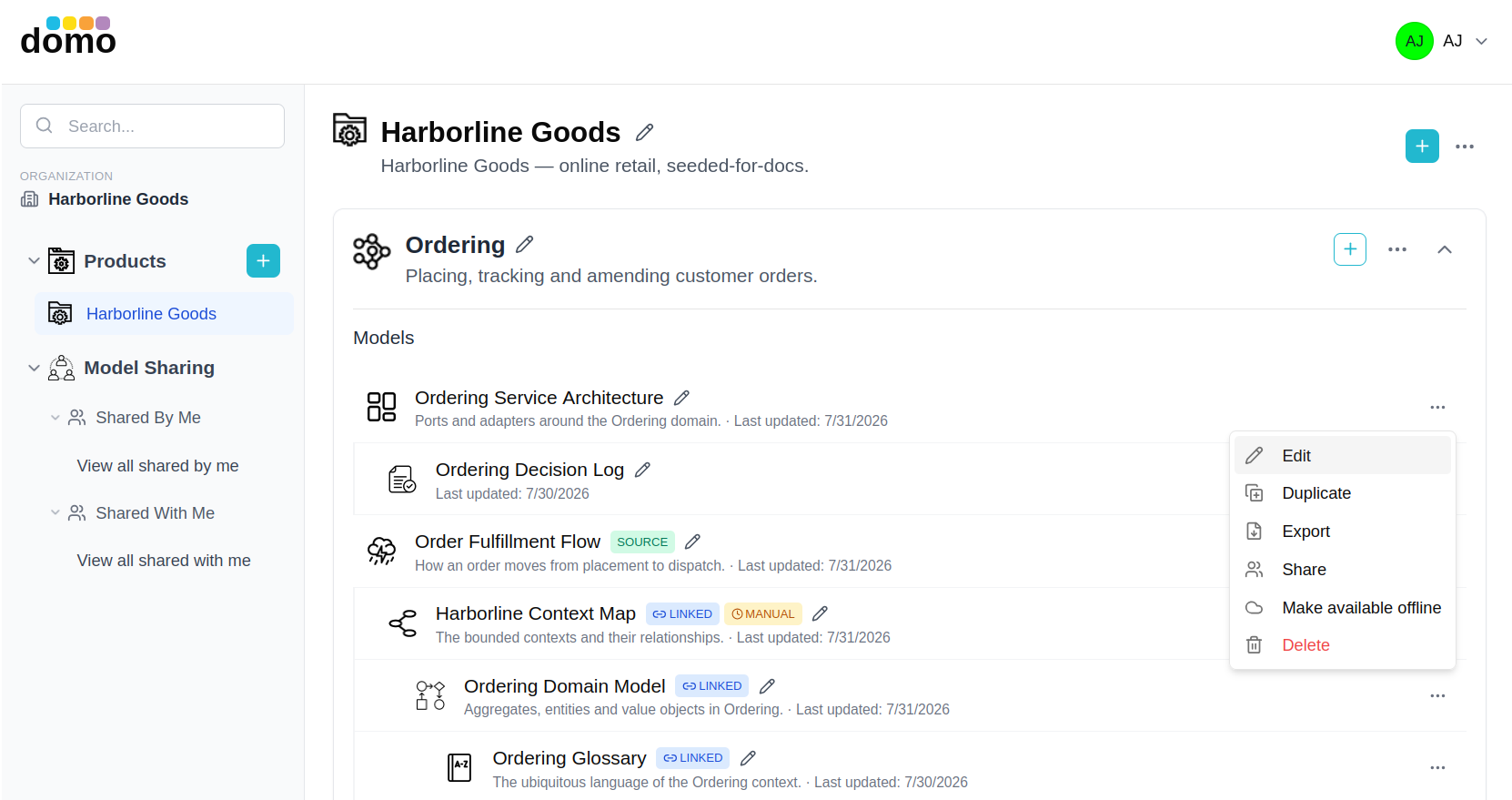
Models in DomoModeler are not islands. Several types can be generated from another and then kept in step with it, which is what turns a workshop sketch into something the team keeps using.
The chain
EventStorming  →  Context Map  ↔  Domain Model  →  Glossary

Architecture (models)  →  ADR log
- EventStorming → Context Map. Subdomains you group on an EventStorming canvas become bounded contexts on a Context Map, carrying their elements with them.
- Context Map ↔ Domain Model. A Domain Model is created from a bounded context and can push its tactical elements (aggregates, entities, value objects, domain services) back to the Context Map.
- Domain Model → Glossary. A Glossary builds its table from a Domain Model's elements.
- Architecture → ADR log. A decision log can be attached to an architecture model so the decisions sit with the design they explain.
The dashboard nests linked models under their source, so the chain is visible without opening anything.
Auto and manual sync
When you link a Context Map to an EventStorming model, you choose how updates travel:
- Auto: changes on the EventStorming canvas flow to the Context Map as they happen.
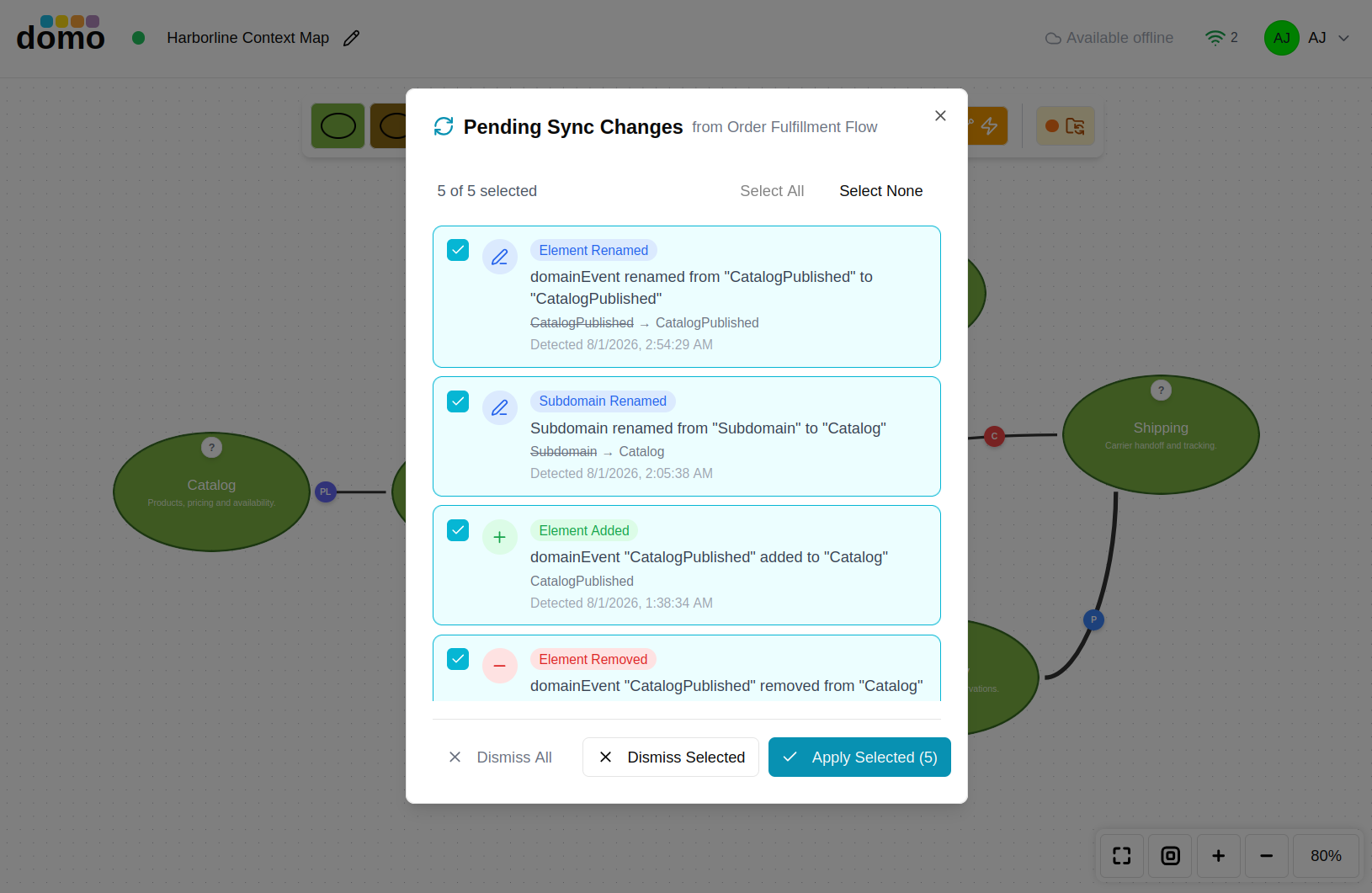
- Manual: changes are collected, and the Context Map shows a pending-changes badge. You open the review, see exactly what would change, and apply it when you are ready.
Manual is the right choice once a Context Map has been shaped by hand and you do not want a workshop session rearranging it underneath you.
Crossing between linked models
Linked editors carry a button on the right of the toolbar that opens the model at the other end of the link: the Context Map from an EventStorming model, the EventStorming model from a Context Map, or the Context Map from a Domain Model. They open in a new tab, so you keep your place in both.
The button also shows the sync mode, and a Context Map in manual mode adds a second button for reviewing pending changes.
Merging, not overwriting
A bounded context's behavior on a Context Map is the union of what EventStorming contributed and what the Domain Model contributed. Re-running a sync from EventStorming merges into what is there rather than replacing it, so work that came from the Domain Model survives an unrelated EventStorming edit. When something genuinely disappears from the source, the sync review offers to remove it rather than removing it silently.
If a linked model is deleted
Opening a model whose linked partner no longer exists does not leave you at a dead end. DomoModeler checks first and then offers the sensible repair: recreate the downstream model from its source, or unlink and carry on.